
How to Create a Traffic Source
Traffic SourcesSteps
In the sidebar, open Campaigns > Traffic Sources and click New Traffic Source.
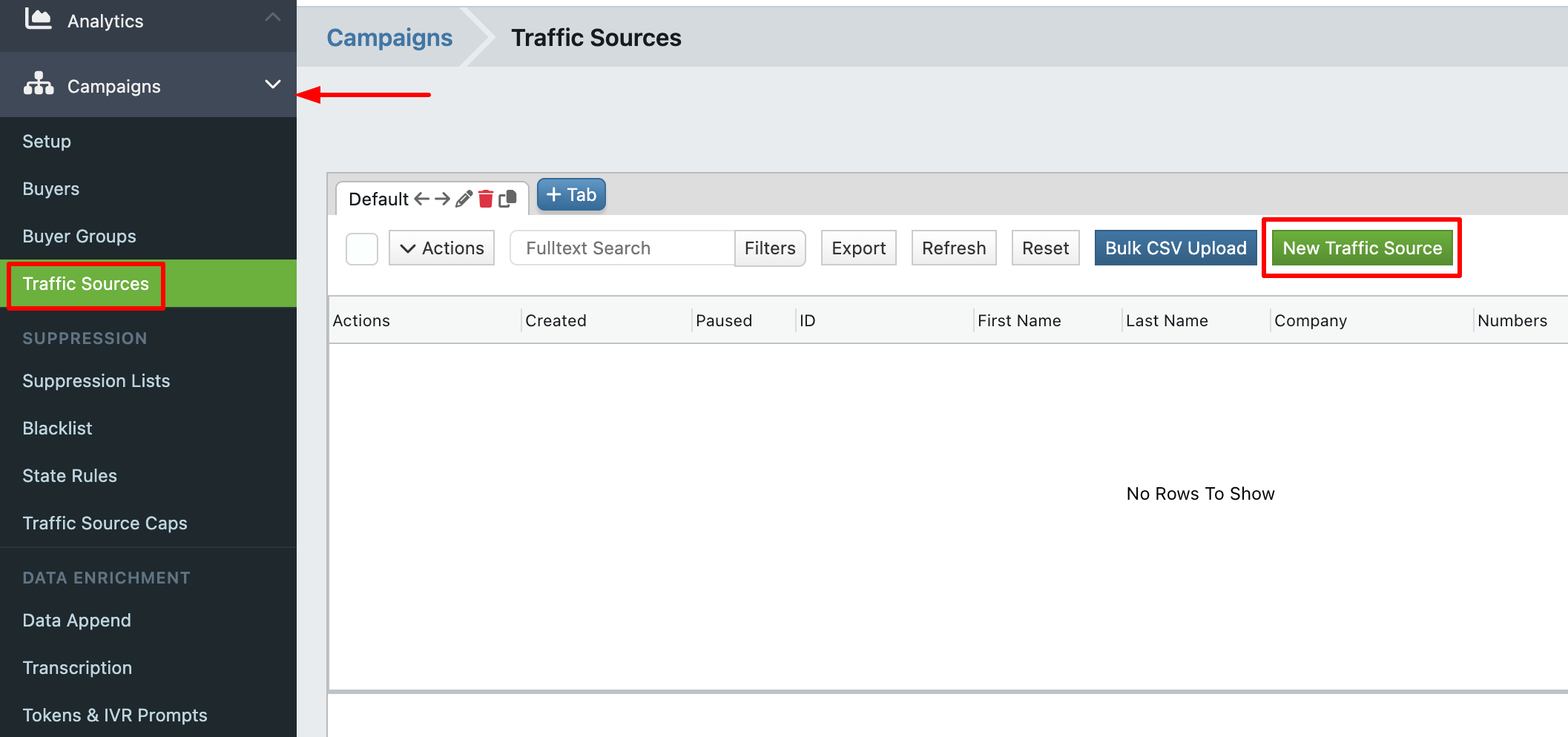
-
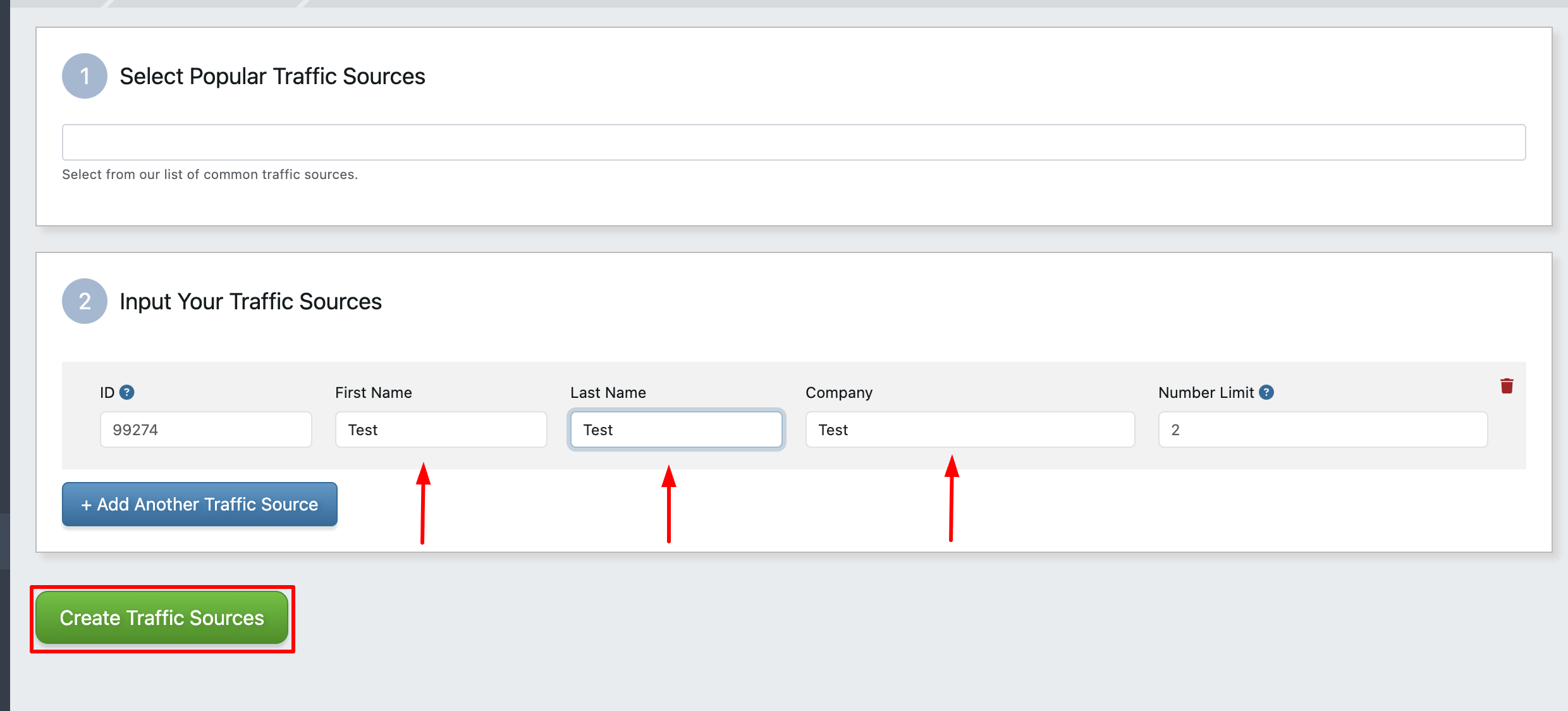
Fill in the identity fields:
- ID: the external identifier the source uses. Auto-generated starting at 1000 if left blank.
- Company Name, First Name, Last Name: these combine to form the display name.
- Number Limit: optional limit on how many tracking numbers this source can use.
- Click Create Traffic Source.
Tracking Numbers
To attribute inbound calls to a traffic source, assign the source to a tracking number. When a call arrives on that number, the traffic source is automatically recorded on the call record.

